
Seva Sindhu – Karnataka Government Services Online
Villagers of Karnataka stand to avail several government services via Seva Sindhu, a one-stop digital portal developed by the government of Karnataka to ease public access to government services. Instead of visiting separate government departments for different services, citizens can visit the portal, instead, to obtain information about the services needed, to apply for the desired service, to track the application status, etc.
Seva Sindhu program was initiated by the Karnataka government in 2017 with the intention of combining application services on a single digital platform. Since then, the facilities provided by the portal have been diversified and expanded to incorporate various types of services offered by different departments of the government.
Whether it is a certificate or a welfare scheme or anything related to education, transport, labour, etc., the Seva Sindhu portal provides every information regarding the different types of services that are government related. In this guide, you will find out how to register yourself on the portal, how to apply for different services and how you can track the status of your application.
Popular Karnataka Government Schemes & Services
Quick links to the most-searched Karnataka government services and guides:
- Gruhalakshmi Scheme — Apply Online
- Gruha Jyothi Scheme 2025
- Yuva Nidhi Scheme 2025 — Apply Online
- Seva Sindhu Application Status Check
- How to Apply for Karnataka Welfare Schemes
| Feature | Details |
|---|---|
| Portal Name | Seva Sindhu Portal Karnataka (Service Plus) |
| Year of Launch | 2017 |
| Primary Objective | A unified digital platform to simplify access to government services for the citizens of Karnataka. |
| Languages Supported | Kannada, English |
| Official Website (For Services) | Visit the official portal to apply for government services in Karnataka. |
| Official Website (For Dashboard) | Check the dashboard for your application status and more. |
| Key Departments Covered | Revenue, Transport, Social & Tribal Welfare, BCWD, Women & Child Development, Health, Labour, Universities, DTE, Business, and more. |
| Total Number of Services | Over 880+ services available |
| Application Methods | Services can be accessed online or at this Service Centers. |
What Services Are Available on Seva Sindhu?
Seva Sindhu is an initiative that consolidates a multitude of Karnataka government services into one comprehensive online platform. Services that a citizen can avail of depend on the department of the government and the eligibility criteria for that particular service. Citizens can view services available online and can follow instructions to apply for the services.
Some of the top categories of services available through Seva Sindhu include:
Certifications & Documents: pertaining to income, caste, domicile, etc. based on the services offered via the portal at any time.
Welfare Schemes: wherein eligible citizens can know all about the scheme and apply for it online easily. Education Services: related to scholarships and educational help provided by the relevant department.
Transport Services: where citizens can avail of government transport services.
Labour Services: where interested applicants can know all about citizen services available in the category of labor at a specific department.
Woman and Child Welfare: information regarding schemes provided through the Women and Child Welfare Department.
Other Departmental Services: where services will be provided by several departments of the state through the portal functions.
How to Register on Seva Sindhu?
When first using the Seva Sindhu website, it may be necessary to register for an account prior to making an application online. Registration gives you access to control your applications and the functionalities of your dashboard.
General registration procedure entails following steps:
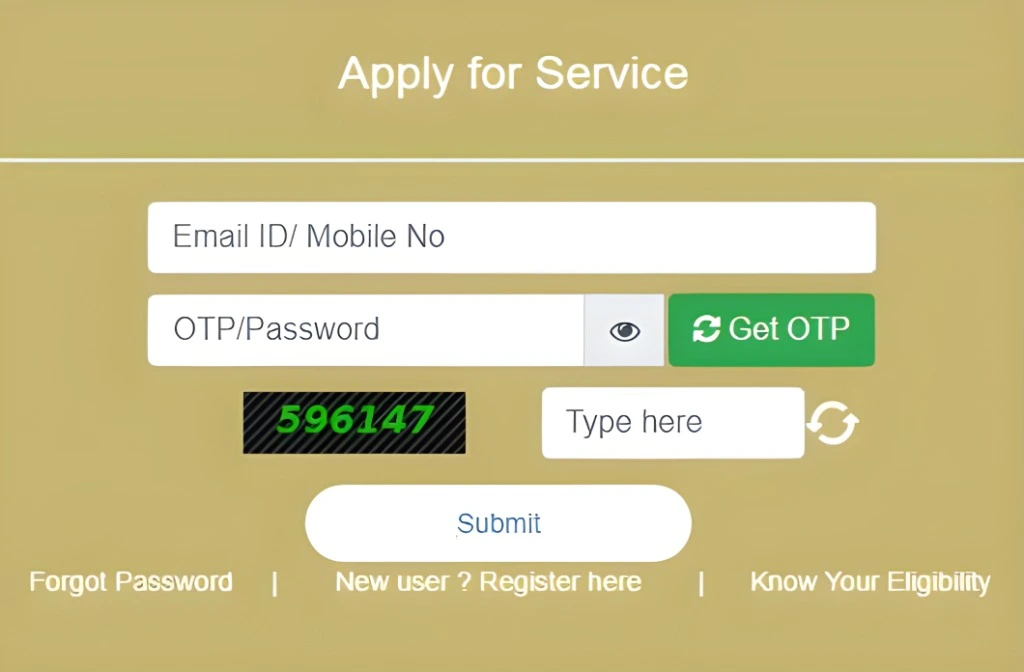
1. Go to Seva Sindhu site: Access the website of the Karnataka Government for Seva Sindhu service.
2. Click on New User Registration: Choose the option for new user registration.
3. Fill in the necessary information: Fill the registration form with all required information, including your ID details and contact information.
4. Complete verification: Go by the instructions given in connection to the verification process and enter the OTP code or any other manner of identification requested by the portal.
5. Create your account: Generate the login credentials required and perform the registration.
6. Log in to your account: Once you have registered, access your dashboard with the login credentials you created.
The information to be provided and the process of verifying your identity may change from time to time. Thus before submitting the registration form, double check that your information is provided accurately and that your mobile number is operative.
Benefits of Seva Sindhu Portal:

Services Available on Seva Sindhu
Document Services:
Welfare Programs:
Education and Scholarships:
Health Support:
Grievance Redressal:
Department-Specific Services:
Public Services:
Most Popular Schemes on Seva Sindhu Portal
Documents required for Seva Sindhu Portal, Karnataka
To use Seva Sindhu, the following documents may be required, depending on the specific service you're applying for:
Aadhaar Card:
Mandatory for many government services, as it serves as your unique identification number.
Aadhaar-linked Mobile Number:
Your mobile number must be linked to your Aadhaar to access Seva Sindhu 1 services.
Email ID:
A valid email ID is necessary for registration and to receive updates on your application status.
Proof of Identity:
Examples include a passport, voter ID, driver’s license, or any government-issued ID that shows your date of birth.
Proof of Address:
Documents like a utility bill, bank statement, or ration card can serve as proof of your current address.
Additional Documents:
Depending on the service, you may need specific documents such as caste certificates, income certificates, or educational qualifications.
These documents ensure smooth processing of your application on the Seva portal.
Applying for services on Seva Sindhu Portal
- Visit the Seva Sindhu Portal: Open the official site of Karnataka Seva Sindhu and navigate to the section of application status or application tracking on the portal.
- Login/Registration: Look for the application status track falling under the category of application management.
- Select the Desired Service: If prompted by the portal, then select the department/service relevant to what application you submitted.
- Fill Out the Application Form: Fill in the application number or other requested details on the status-checking page.
- Upload Required Documents: Upload the necessary documents, such as proof of identity, address, or any other specific documents needed for the service.
- Submit the Application: Click on Submit, Track Status, etc. Check your application status: The portal will show the most recent update on your application status.
Track Your Application: Once submitted, you can track the status of your application through the portal using the provided application number.
How to check your Seva Sindhu application status
- Visit the Seva Sindhu Portal: Go to the official Karnataka Seva Sindhu website.
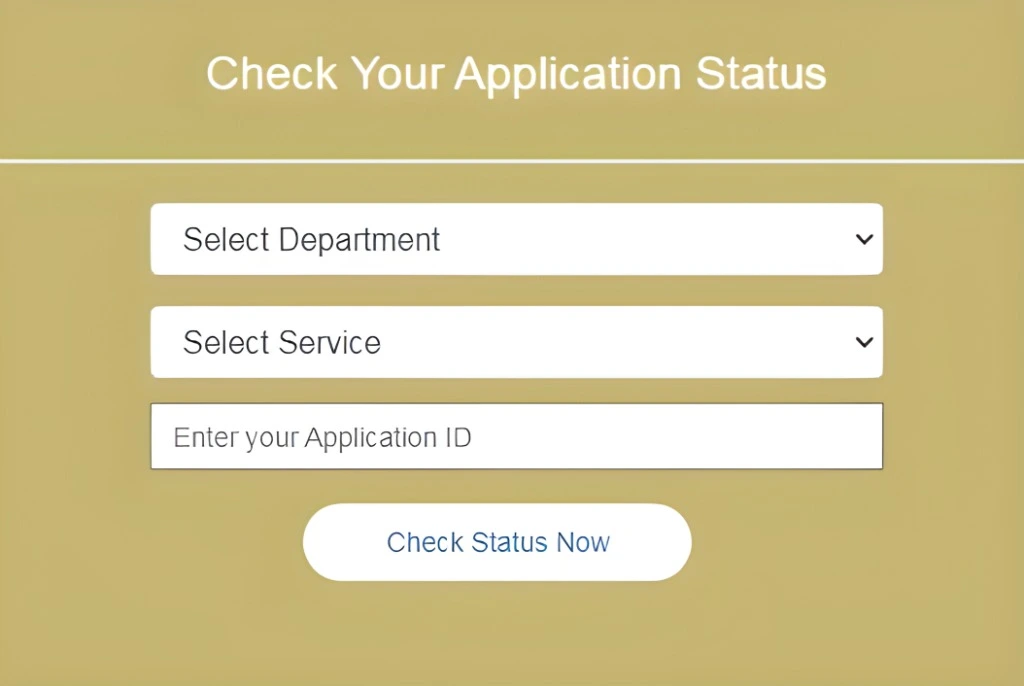
- Select "Track Application Status": Look for the "Track Application Status" option, usually under the "Applications" or "Services" tab.
- Choose the Relevant Department: Select the department related to your application from the available options.
- Enter Application ID: Input the application ID number provided when you submitted your application.
- Captcha Verification: Enter the captcha code to verify you are not a robot.
- Click "Submit" or "Track Status": After submitting the details, click the button to check the status.
- View the Status: The current status of your application will be displayed on the screen.
By following these steps, you can easily track your Seva Sindhu application status.
How to use the karnataka Seva Sindhu Portal
- Visit the Seva Sindhu Official Website: Go to the Seva Sindhu portal.
- Register as a New User:
- Click on ‘New User Registration’ if you’re a first-time user.
- Enter your Aadhaar-linked mobile number to receive an OTP.
- Fill in your basic details such as name, address, and email, to create your account.
- Login: After registering, log in using your credentials (email/mobile number and password).
- Browse Available Services: Once logged in, you can browse through the list of available services.
- Select the Desired Service: Choose the service you want to apply for.
- Fill Out the Application Form: Enter all required details and upload necessary documents (such as identity proof, address proof, etc.).
- Submit the Application: After reviewing the form, apply.
- Track Your Application Status: You can track the progress of your application by logging into your dashboard at any time.
Who Can Use the Seva Sindhu Portal?
Seva Sindhu Portal is available to all residents of Karnataka, including citizens, students, job seekers, women, businesses, and senior citizens. It offers access to various government services such as scholarships, job verification, financial aid, trade licenses, and more. The platform is designed to be user-friendly, with support available at Seva Sindhu 1 Service Centers or Common Service Centers (CSCs) for those less familiar with online processes.
Why Is Seva Sindhu Portal Better Than Other Platforms?
Seva Sindhu stands out as a superior platform due to its user-friendly design and convenience. The portal allows users to access and manage government services entirely online, eliminating the need to visit government offices. Its simple and easy-to-follow interface ensures that even those unfamiliar with technology can navigate it without confusion. Users also benefit from quick updates on their applications, providing transparency and avoiding long waiting times. Moreover, Seva Sindhu 1 prioritizes the security of personal data, ensuring a safe and secure experience for all users.
Seva Sindhu Helpline – Get Support Anytime
If you encounter any issues while using the Seva Sindhu Portal, you can contact their helpdesk for assistance.
- Phone Support: 080-22279954, 8792662814, 8792662816
- Timing: Monday to Saturday, 10:00 AM – 6:00 PM
- Email Support: linkranker.org@gmail.com
The helpdesk is available to provide guidance and resolve any queries you may have regarding the portal’s services.
Helpful video: watch this YouTube explainer on how Seva Sindhu works.
Common Issues & Fixes
Why do some fields in the Gruha Jyothi application remain uneditable?
Users have reported that certain fields are auto-filled and cannot be edited, leading to confusion about their accuracy.
What should I do if the Gruhalakshmi application link redirects to the same page?
Some users have experienced the Gruhalakshmi link opening the same page again, preventing them from proceeding with the application.
How can I verify my mobile number during registration if the OTP pop-up doesn't appear?
There have been instances where the OTP verification pop-up fails to display, causing issues with mobile number verification.
Is there a specific time when the Seva Sindhu portal works better due to lower traffic?
Some users have found that accessing the portal during early morning hours, such as 6 AM, results in smoother registration processes.
Why does the Gruha Lakshmi link not function correctly on the Seva Sindhu portal?
Users have reported that clicking on the Gruha Lakshmi link leads to a non-functional page, hindering the application process.
What steps can I take if the OTP verification fails during registration?
Some users have faced challenges with OTP verification during registration, leading to unsuccessful attempts.
How can I resolve issues with the Seva Sindhu app not connecting to Service Plus?
There have been reports of users unable to register on the RTPS Bihar Service Plus through the Seva Sindhu app, indicating potential connectivity issues.
What should I do if the Seva Sindhu portal displays error codes like BENEFICIARY_ALREADY_MAPPED?
Users have encountered specific error codes during application, such as BENEFICIARY_ALREADY_MAPPED, leading to application rejections.
Why does the Gruha Jyothi application form not submit even after entering all details?
Some users have experienced issues where the application form for Gruha Jyothi doesn't submit, even after filling in all required information.
How can I find a Seva Sindhu Service Center near me for assistance?
Individuals seeking physical assistance have inquired about locating nearby Seva Sindhu Service Centers or Common Service Centers (CSCs).
FAQs
Final Thoughts
Seva Sindhu portal is an excellent illustration of Digital India at work at the state level as it completely transforms how government services are effectively delivered. By making processes easy, minimizing paperwork, and providing a high level of transparency, it has turned into a useful resource for countless people in Karnataka. The portal makes the process of getting subsidies, certificates, or student passes as easy as pie. If you have not looked at Seva Sindhu yet, now is indeed the best time to register and benefit from advanced governance in Karnataka.