Seva Sindhu Services 2025: Easy Registration & Login
Seva Sindhu Services is the official online portal provided by the Government of Karnataka, designed to deliver various citizen services such as applying for welfare schemes, certificates, bus passes, and tracking the status of applications. Before accessing these services, citizens must first create an account on the portal. This guide will walk you through the Seva Sindhu Registration process in 2025, including how to log in and troubleshoot common issues.
Requirements and Documents Required
Before starting the Seva Sindhu services registration process, ensure you have the following:
Requirements:
- A stable internet connection.
- A valid mobile number linked to your Aadhaar card.
- Active email ID (optional but recommended for communication).
Documents Required:
- Aadhaar Card: Used for identity verification and OTP generation.
- Mobile Number: Linked to Aadhaar to receive the OTP.
- Email ID: Optional, used for receiving registration confirmation and updates.
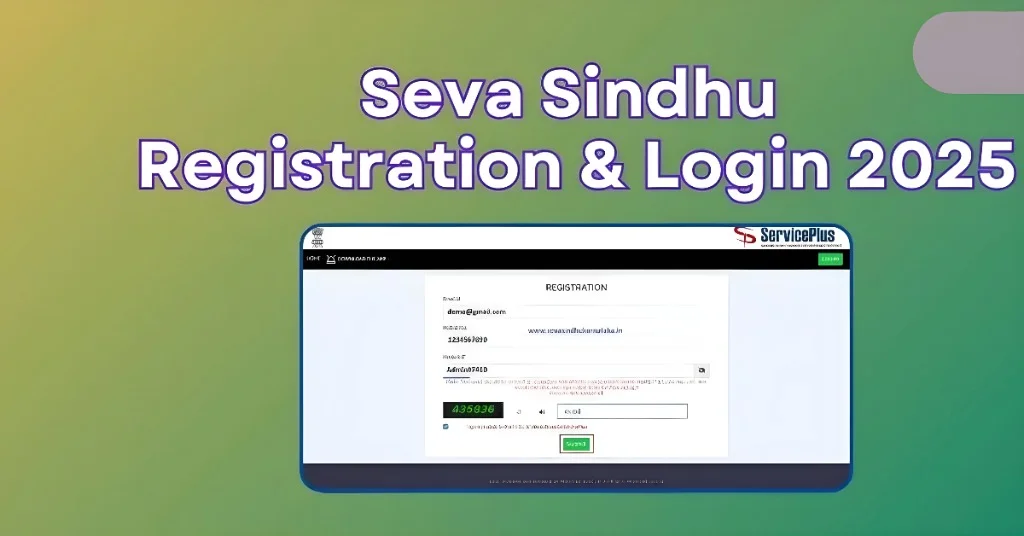
Step-by-Step Process for Seva Sindhu Registration or Account Creation
Step 1: Visit the Official Seva Sindhu Portal
Step 2: Aadhaar Authentication
Step 3: Consent for Document Access
Step 4: Fill in Registration Details
Step 5: Verify and Submit
Logging Into Your Seva Sindhu Account
After registration, you can log in to your Seva Sindhu services account by following these steps:
- Visit the Seva Sindhu portal.
- Enter your username (either mobile number or email ID) and password.
- Alternatively, click “Get OTP” to receive an OTP on your registered mobile number to log in without using a password.
- Complete the CAPTCHA verification and click Submit to access your account.
Why Register on Seva Sindhu?
Having an account on Seva Sindhu services offers several benefits:
Common Issues and Troubleshooting
| Issue | Solution |
| OTP Not Received | 1) Ensure your mobile number is linked to your Aadhaar.2) Check for network issues and try again. |
| Unable to Submit Form | 1) Ensure all mandatory fields are filled.2) Verify there are no errors in your details.3) Ensure your password complies with the Seva Sindhu policy. |
| Forgot Password | Use the “Forgot Password” option on the login page to reset your password. |
Tips for a Smooth Registration Process:
- Ensure Aadhaar Linkage: Your mobile number must be linked to your Aadhaar before starting the registration.
- Stable Internet Connection: A good internet connection will prevent disruptions during OTP generation and form submission.
- Save Credentials: Write down your username and password in a secure location for future access.
FAQs
Is Aadhaar card mandatory to create an account in Seva Sindhu Services portal?
Yes, Aadhaar is required for identity verification and authentication during the registration process.
Is Aadhaar linked to a mobile number compulsory to create an account on the Seva Sindhu services portal?
Yes, your mobile number must be linked to your Aadhaar as you will receive an OTP for authentication.
I am not receiving an OTP during the account creation process. What should I do?
Check if your mobile number is correctly linked to your Aadhaar.<br>Ensure there are no network issues. You can also try again after a few minutes.
Can I use any mobile number to register on Seva Sindhu?
No, only a mobile number linked to your Aadhaar will work for verification.
How can I reset my password if I forget it?
Simply click on “Forgot Password” on the login page, follow the instructions, and reset your password.
Can I apply for services on Seva Sindhu without an email ID?
No, an email ID is optional, but it is recommended for receiving updates and confirmations.
What should I do if my Aadhaar is not linked to my mobile number?
Visit the nearest Aadhaar center to link your mobile number to your Aadhaar.
Can I use Seva Sindhu to apply for multiple services?
Yes, after registering, you can apply for various government services available on the portal.
How long will the registration process take?
The registration process typically takes 10-15 minutes to complete, provided all details are correctly entered.
Do I need to verify my email during registration?
While the email is optional, verifying it will help in receiving updates and confirmation details.
Final Thoughts
Creating an account on Seva Sindhu services is essential for accessing various government services online. The process is straightforward and requires basic information and Aadhaar verification. With an account, you can apply for multiple services, track applications, and stay updated with real-time notifications. By following the steps outlined in this guide, you can easily register, log in, and access the range of services provided by the Government of Karnataka through the Seva Sindhu services portal.