Gruha Jyothi Cancel 2025: Easy Delink via Seva Sindhu
The Gruha Jyothi Cancel or Delink feature allows beneficiaries to deregister their Aadhaar from the Gruha Jyothi cancel or delink Scheme and reapply for the benefits if they have shifted to a new house or wish to discontinue the scheme. This process ensures that only one application exists per Aadhaar number and prevents multiple registrations using the same Aadhaar.
Here’s a detailed guide on how to delink or cancel your Gruha Jyothi cancel application, along with frequently asked questions (FAQs) for clarification.

What is Gruha Jyothi Cancel or Delink & When Should You Use This Facility?
The Gruha Jyothi Delink process allows beneficiaries to deregister their Aadhaar from the current Gruha Jyothi application. You may need this facility in the following cases:
- Shifting to a new house and updating the electricity account details.
- Discontinuing the scheme benefits for personal reasons.
If you are relocating, it is mandatory to delink your Aadhaar from the previous application before re-registering with the new electricity connection under the Gruha Jyothi Scheme.
How to Check Which Aadhaar is Linked to Gruha Jyothi?
To know which Aadhaar number is currently linked to your Gruha Jyothi cancel application, follow these steps:
- Go to the Gruha Jyothi Acknowledgment Reprint Page:
- Visit the Seva Sindhu portal and select your ESCOM (electricity provider).
- Enter your Consumer ID and click Download Acknowledgment.
- The acknowledgment will display:
- Application Date
- Applicant Name
- Applicant Contact Number
- Address as per ESCOM records
What to Do Next?
- If the applicant’s name is yours, you can proceed with delinking.
If the applicant’s name belongs to someone else (e.g., the previous tenant), contact them and ask them to delink their Aadhaar.
How to Delink or Cancel Your Gruha Jyothi Application
Step 1: Visit the Seva Sindhu Portal
- Go to the Seva Sindhu Portal: Seva Sindhu.
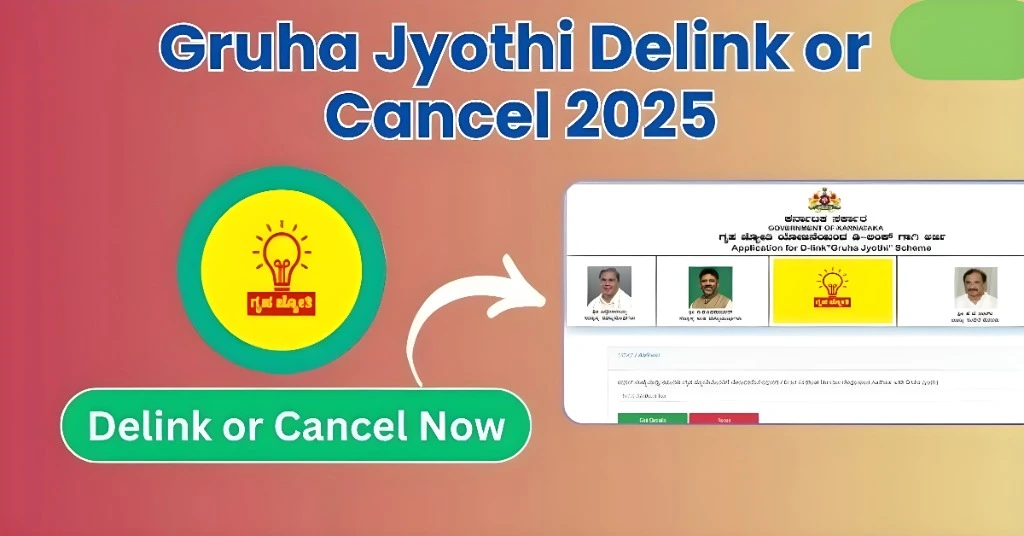
- Select the “Gruha Jyothi” option and click on “Gruha Jyothi cancel or Delink Form”.
Step 2: Enter Your Aadhaar Number
- Enter the Aadhaar number linked to your existing Gruha Jyothi application.
- Click “Get Details” to fetch your application details.
Step 3: Aadhaar Authentication
- Complete the Aadhaar authentication process by entering the OTP sent to your Aadhaar-linked mobile number.
- Once authenticated, the system will display your existing application details.
Step 4: Review Application Details
- Review the details shown on the screen.
- If correct, click “Yes” and select the reason for delinking:
- Shifting of House: If you have moved to a new house.
- Unwilling to Continue: If you no longer wish to receive the benefits.
Step 5: Submit the Delink Request
- After selecting the appropriate reason, click “Submit”.
- An acknowledgment receipt will be generated confirming the delink request.
Once the process is complete, your Aadhaar will be delinked from the current application, and you can reapply with your updated electricity connection details.
FAQs
How much time will it take to cancel the Gruha Jyothi Cancel application after submitting the delink request?
The process is instant. Once submitted, your existing application will be cancelled immediately, allowing you to reapply for the scheme with new details.
What should I do if I don’t know the Aadhaar number linked to this house’s Gruha Jyothi cancel application?
You need to find the Aadhaar number linked to the existing application by following the steps to check the acknowledgment. Contact the previous residents to request that they delink their Aadhaar.
What does it mean if I get a message saying “Your Aadhaar is not linked with any Connection ID”?
This means your Aadhaar number was either not used for registering the Gruha Jyothi scheme, or it has already been delinked.
Can I delink my Aadhaar if I have already shifted to a new house?
Yes, you can delink Aadhaar using the steps above and re-register the scheme with the new electricity connection details.
Can I apply for the scheme with the same Aadhaar number after delinking?
Yes, after delinking your Aadhaar from the previous application, you can reapply with the updated details for the new electricity connection.
Do I need to submit any documents while delinking my Aadhaar?
No, you don’t need to submit any documents to delink your Aadhaar. However, you may need to update your electricity meter connection details.
Is the delinking process reversible?
Once the delink request is submitted, it cannot be reversed. However, you can reapply for the scheme with updated details after the delinking.
What if I don’t want to continue with the Gruha Jyothi cancel benefits?
If you no longer wish to avail of the benefits, select “Unwilling to Continue” during the delink process. Your application will be cancelled.
What if I face an issue during the Aadhaar authentication process?
If you encounter issues with Aadhaar authentication, ensure your Aadhaar number is correct and that your mobile number is linked to your Aadhaar. You can also try again later or contact the support team.
Can I delink multiple Aadhaar numbers at once?
No, you can only delink one Aadhaar number at a time. If you have multiple accounts linked to different Aadhaar numbers, you must handle each one separately.
Final Thoughts
The Gruha Jyothi cancel or Delink process is a simple and effective way for beneficiaries who have relocated or wish to discontinue the scheme to update their records. By following the outlined steps on the Seva sindhu portal, you can ensure a smooth delink process and continue to avail benefits with your new electricity meter connection. This system helps prevent misuse and ensures that genuine beneficiaries are receiving the scheme’s benefits.