Karnataka Diploma Certificate: Apply, Track & Download 2025
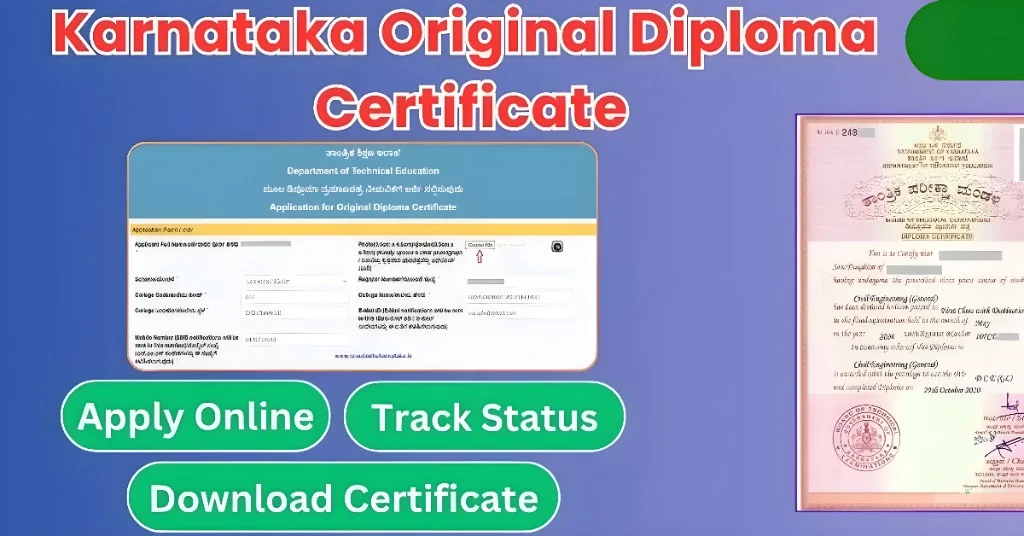
The Original Karnataka Diploma Certificate issued by the Department of Technical Education (DTE), Karnataka, is an essential document for students who have completed their polytechnic diploma. This certificate serves as proof of successful completion of a diploma course and is required for higher education, government job applications, or employment verification. Students can apply for their Original Diploma Certificate online through the Seva Sindhu portal.
Here’s a detailed guide to applying for, tracking, and downloading the Original karnataka Diploma Certificate in Karnataka.
Read Below: How To Apply For Karnataka Original Diploma Certificate?
Highlights of Karnataka Original Diploma Certificate
| Name of Document | Original Diploma Certificate |
| Issuing Authority | Department of Technical Education (DTE), Karnataka |
| Concerned Board | Board of Technical Examinations (BTE), Karnataka |
| Purpose | Proof of diploma course completion |
| Application Mode | Online through the Seva Sindhu Services portal |
| Eligibility | Students who have completed their diploma under DTE |
What is the Original Diploma Certificate?
The Original karnataka Diploma Certificate is an official document from the Department of Technical Education (DTE) confirming that a student has successfully completed their diploma course. This certificate serves as a permanent academic record and is required for:
Documents Required for Application
To apply for the Original Diploma Certificate through the Seva Sindhu portal, you will need to upload the following documents:
- Passport-Sized Photograph (in JPG format).
- SSLC / 10th Original Marks Card (scanned copy in PDF format).
- Diploma Marks Card (all semesters or years, including all attempts, both passed and failed, in a single PDF file).
How to Apply for Karnataka Original Diploma Certificate
Follow these steps to apply for the Original Diploma Certificate online:
Step 1: Visit Seva Sindhu Portal
Step 2: Locate the Diploma Certificate Application
Step 3: Fill the Online Application Form
Step 4: Provide Examination Details
Step 5: Finalize and Submit the Application
How to Track the Status or Download the Original karnataka Diploma Certificate
Once the application is submitted, it will be verified by your diploma/polytechnic college and the Department of Technical Education (DTE). Here’s how you can track the status or download your certificate:
Step 1: Log In to Seva Sindhu Portal
Step 2: Track Application Status
Step 3: View the Current Status
You will see the “View” option. Click it, then click Download Certificate to download the certificate in PDF format.
FAQs
How many days will it take to get approval for the Original Diploma Certificate?
The approval process typically takes 7-45 days after submitting the online application.
What if I don’t know the exact date of result announcement for the final examination?
You can provide an approximate date for the result announcement. It’s not mandatory to provide the exact date.
Where can I collect the physical copy of my Original karnataka Diploma Certificate after approval?
Once approved, the physical certificate can be collected from your diploma/polytechnic college. Certificates will not be delivered to your communication address.
What should I do if I am unable to download my karnataka diploma certificate from Seva Sindhu after approval?
If the digital copy upload is missed by DTE, you should collect the physical certificate directly from your college.
What documents are required for applying for the karnataka diploma certificate?
Passport-sized photo, SSLC marks card, and diploma marks card for all semesters or years are required.
Can I apply for a diploma certificate if my Aadhaar details are incorrect?
If the details are incorrect, you should first update your Aadhaar before applying for the karnataka diploma certificate.
Is there a service fee for applying for the Original karnataka Diploma Certificate?
There is typically no service fee for applying through the Seva Sindhu portal.
Can I apply for the Original karnataka Diploma Certificate offline?
The application for the Original Diploma Certificate must be done online through the Seva Sindhu portal. There is no offline application process.
How will I know when my diploma certificate is ready for download?
You will receive an SMS or email once your certificate is ready for download.
What if I made a mistake in the application after submission?
After submission, you cannot modify the application. If there’s an error, contact your college or DTE for assistance.
Final Thoughts
The Original Karnataka Diploma Certificate is a crucial document for all diploma students in Karnataka. Applying through the Seva Sindhu portal is a straightforward process, allowing students to get their certificates online without visiting government offices. By following the steps outlined above, students can easily apply, track their application status, and download their certificate once it’s approved. If you face any issues during the application or download process, you can contact your diploma/polytechnic college or the DTE for further assistance.