How to Track Leave or Application Status via Seva Sindhu
Tracking the status of your application on the Seva Sindhu portal is a straightforward process. Whether you’ve applied for certificates, welfare schemes, or other government services in Karnataka, you can easily check if your application is in progress, approved, or delivered. This guide will show you how to track your application status through the Seva Sindhu portal in a few simple steps.
Two Ways to Check Status
Track Through Your Account (When You Applied Online)
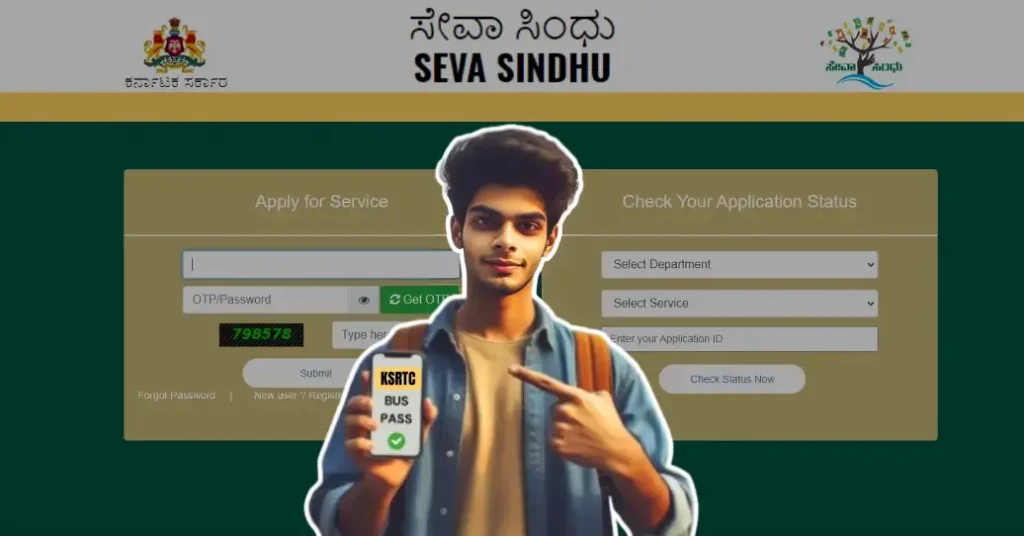
Track Without Logging In (Useful if you applied via CSC / Offline Center)
1
Go to main Seva Sindhu portal home page.
2
Click on “Track Application Status” (or similar “Check Status” / “Application Status” option) visible on the homepage.
3
Enter your application reference number and the date of application (from your receipt). Choose “Submission Date” (not delivery date).
4
Fill in the captcha (if any), then click “Submit” / “Track Status.” The portal will display the current status of your application: In Progress / Completed / Delivered / etc.
What to Do if Your Status Is Delayed
Sometimes, applications can take longer to process than expected, leaving you wondering what’s happening. If you notice that your application is stuck on a certain status (like “In Progress” for an extended period), here’s what you can do:
1
Wait a Few Days: Some services may take more time to process due to various factors like high volumes of applications or verification processes.
2
Contact Customer Support: If the delay exceeds the usual timeframe (based on the service guidelines), reach out to Seva Sindhu customer support for an update.
3
Visit a Service Centre: If the online tracking feature isn’t giving you the information you need, you can visit a nearby Seva Sindhu service centre to inquire about your application status in person.
Troubleshooting Tracking Issues
Occasionally, you may face difficulties when trying to track your application, such as errors or no data showing up. Here are a few troubleshooting tips to help:
Tips for Smooth Tracking
1
Always save your application reference number and submission date when you submit — you’ll need them to track status.
2
If using method 1 (login), remember that status may only show applications from the last 2–3 months. For older cases, use the no‑login method.
3
Make sure you enter all details correctly (reference number and date) — even a small mistake can give “No record found.”
4
If portal shows “service not available” or “error,” try again after a while (server load or maintenance could be a cause).
FAQs
Final Thoughts
Tracking your Seva Sindhu application is quite simple — using either login or reference‑number method. Just keep your application number and date handy, and follow the steps above. This way you won’t need to call or visit offices just to check status.
If you want — I can also draft a ready-to-copy template (in simple language) to send to friends/family explaining how to track status. It could help others who are not tech‑savvy. Want me to build that for you now?