Track Your Application Status on Seva Sindhu Portal
Waiting for your government application to move forward can feel stressful. The good thing is, if you applied through the Seva Sindhu Portal, you don’t have to guess what’s happening. You can quickly track your application status online using your reference number or login details. In this guide, I’ll walk you through each step in simple words, explain what different status messages mean, and share a few tips so you don’t face common issues on the Seva Sindhu portal.
What is the Seva Sindhu Portal and why tracking status matters
If you’ve applied for a government service in Karnataka, chances are you used the Seva Sindhu Portal. It is a one-stop online platform by the Karnataka government where many services are available in one place, like certificates, licences, and welfare schemes.
One of the most useful features is that you can check what is happening with your application at any time. Instead of visiting offices again and again, you can track your application status on Seva Sindhu portal in just a few clicks. You can also read : How to Apply for Certificates on Seva Sindhu
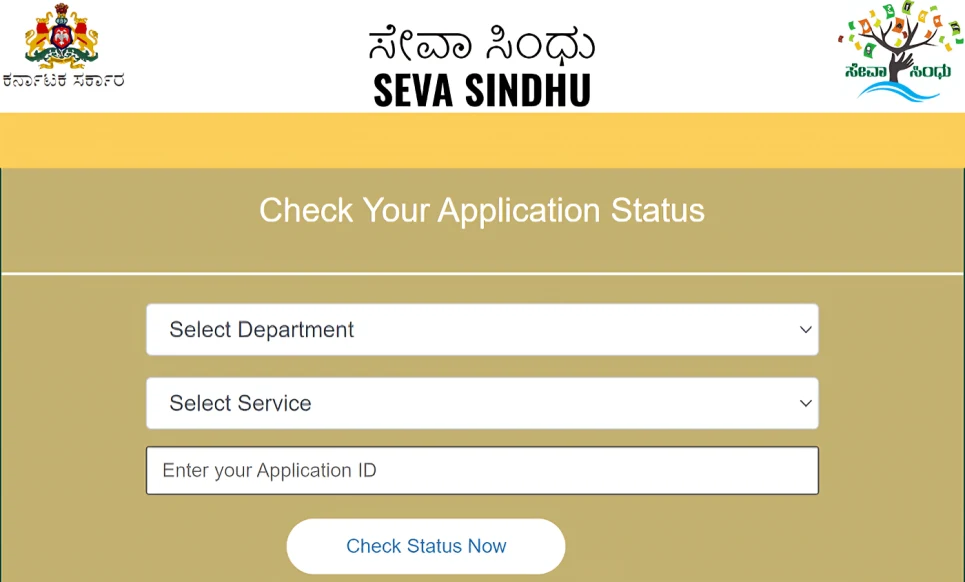
How to check your status: step by step
Here are two main ways to check your application status on Seva Sindhu. You can choose the one that suits you.
With login (if you have an account)
Method 2: Without login (guest tracking)
What the different status messages mean
When you track your application status on Seva Sindhu portal, you might see different messages. Here’s what they usually mean.
In Progress: Your application is being checked by the department. Just wait and keep an eye on the portal.
Approved or Completed: Your application is accepted. Now you may receive a certificate, benefit, or next step.
Rejected: Something was missing or did not match the rules. Check if any remark is shown and correct the issue before applying again.
Requires Additional Information: The department needs more documents or details. Try to provide them as soon as possible to avoid delay.
Delivered: For some services, this means the final result has already been given to you.
Simple tips to avoid delays
A few small things can save you a lot of time.
Common problems people face
Here are some issues people often face while doing Seva Sindhu application status check and what you can do.
Track Your Application Status for Different Services on Seva Sindhu
Seva Sindhu offers various government services like welfare schemes, certificates, and licenses. To track your application status for these services, follow the same methods mentioned above. If you applied for something like the Gruha Lakshmi Scheme, Ration Card, or Birth Certificate, just select the appropriate option and follow the instructions for status checking.
This feature makes it easier to stay updated on the progress of your service request without having to call or visit the office.
Importance of Tracking Your Application Status
It’s easy to assume that your application is still being processed, but tracking your status gives you peace of mind. You can immediately see if more information or documents are required, which prevents any delays. Plus, being aware of the status makes it easier for you to take timely action if needed.
If everything’s fine, you’ll be able to enjoy the service faster without wondering if there’s a mistake somewhere.
FAQs
Final Thoughts
The Seva Sindhu Portal simplifies tracking the status of your applications, saving you time and energy. With these simple steps, you can stay updated on your application’s progress, act quickly if more details are required, and avoid unnecessary visits to government offices.